

Checkout ME terminal app
Smart functions for your payment terminal
Simplify everyday life in your shop: with Checkout ME, you can add practical extras to your PAX payment terminal free of charge. The additional features will be available directly on your device after a one-off set-up in the Checkout portal. You can initially benefit from three useful applications. Others are planned.
Get more from your terminal
-
 Faster payment collectionSave up to three frequently used amounts as favourites. This allows you to enter payments faster and with less effort.
 -
 Simplify amount entryYou decide how the amounts you enter are processed. For example, if you enter 1, it is automatically recognized as CHF 1.
 -
 End-of-day settlement at the terminalCreate and check your end-of-day settlement directly on your device. If it has a receipt printer, you can also print out the settlement.
Installation takes place centrally via the PostFinance Checkout portal. The app will be assigned directly to your terminal.
Step 1: Select terminal
- Log in to the The link will open in a new window Checkout portal.
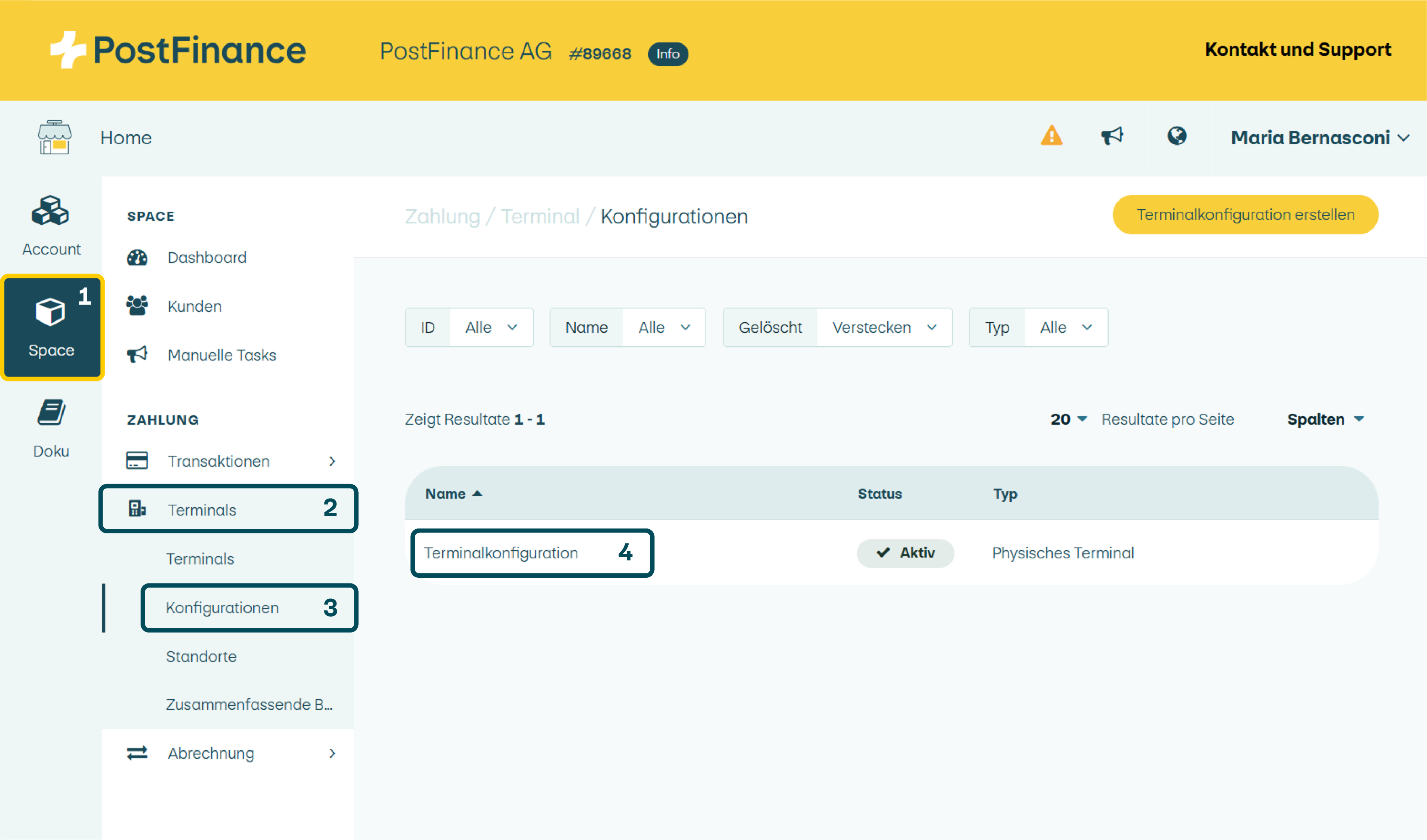
- Go to Space > Terminals > Configurations.
- Click on the terminal configuration on which you want to install Checkout ME.
Step 2: Open software management
Open software management via the box at the bottom of the page.

Step 3: Install the app

- Select “Install app from App Store”
- Select “Checkout ME”
- Select “Stable” as the release track
- Deactivate “Favourite app on the start screen”
- Click on “Install”
Step 4: Set Checkout ME as the start app (optional)
If you would like to use the standard amounts or simplified amount entry functions:
- Open “Change configuration”
- Select “Checkout ME” as the start app
Tip: you can also save Checkout ME as a favourite on the start screen.
Step 5: Transfer configuration
The new configuration will be automatically loaded onto your terminal. This may take up to 20 minutes. You can also reload and initialize the configuration directly on the terminal – to do so, you will need the terminal‑code 2005.

Multiple terminals: if you use multiple terminals with the same configuration, Checkout ME will automatically be installed on all devices after the configuration has been applied. If there are several configurations, please install Checkout ME separately for each individual configuration.
Checkout ME works like an additional checkout app on your PAX terminal. If you would like to use standard amounts or simplified amount entry, we recommend setting up Checkout ME as the start app.
Payment process with the start app
- Open Checkout ME as the start app
- Enter amount in Checkout ME
- Start payment
- The terminal automatically switches to the payment application
- Execute payment
- The terminal automatically returns to Checkout ME and displays the receipt options
Applications in detail
For recurring amounts, you can save up to three favourites. This is suitable for example for:
- Changing rooms
- Market stalls
- Association events
- Entry fees
The saved amounts appear directly on the payment screen and can be selected with a single click. You can access other saved amounts by clicking on the symbol in the top right-hand corner.
Under Settings, you can determine how amounts are entered. This allows you to collect payments more quickly and reduce incorrect entries. For example:
- Input “1” = CHF 1.00 instead of 0.01
- Input “100” = CHF 100.00 instead of 1.00
Important: do you use several PAX terminals? Install and activate the function separately on each device.
With Checkout ME, you create your end-of-day settlement directly on your terminal.
Your options:
- Check the settlement directly on the terminal
- Print an additional paper receipt with the PAX A920Pro and PAX A50 terminals (via the “Reports” menu)